
Wanderburg Controls
Drive a fortress without fighting the camera.
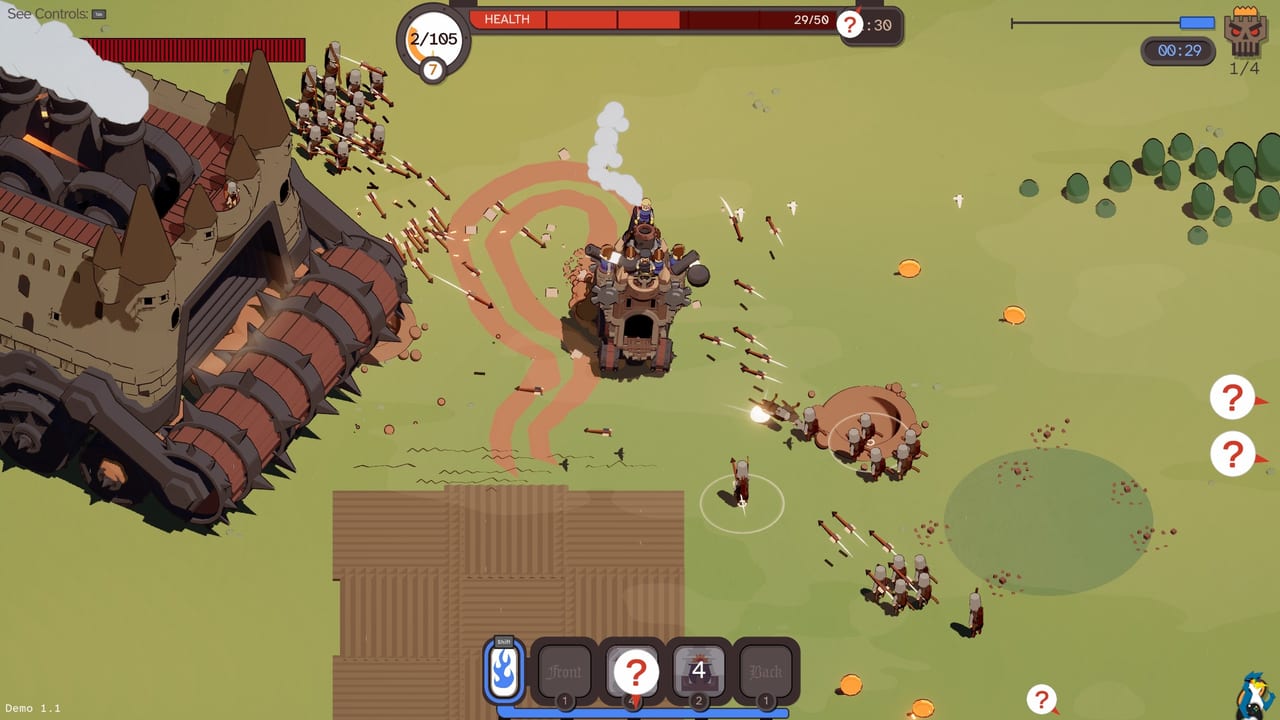
Wanderburg lives or dies on driving feel. It is not a twin-stick shooter with a castle skin. Randwerk has said in interviews that they cut mouse-aimed turrets on purpose so the kit would map cleanly to four controller buttons and so a Steam Deck session would not require a second stick just to fire. This page is the practical layout for keyboard, mouse, controller, and the touch-friendly claim on the store page.
If you skip this and jump straight into how to beat bosses, you will waste nitro on the wrong beat and ram thin air. Bindings first, steamrollers second.
Keyboard and mouse
Demo write-ups and player videos agree on a simple core. WASD steers the fortress. Click-to-move exists as an alternate: you can point at grass and the keep rolls there, which is friendly for players who hate tank controls. Boost / nitro is commonly Shift. Active modules sit on nearby keys so you can hit ram, mortar, mines, or dash without leaving the movement hand stranded.
One Taiwanese preview noted that even when mouse-move works, actives such as speed, cannon volleys, and the siege ram still want a key press. Plan for that. If you try to play the entire game as a pure clicker, you will be late on every timed ability.
Camera is isometric and locked enough that you are not wrestling a free orbit. Readability was a design goal: the cartoon silhouettes stay clear on a handheld screen. That helps, but it does not auto-aim a ram. You still have to point the mouth and the bumper at the thing you want to eat.
Controller
Full controller support is listed on Steam, including Xbox and PlayStation layouts. The important design note from the developers is the four-slot kit. Most runs end up with about four equipped actives, which maps onto a face-button cluster. Left stick drives. A shoulder or trigger is the natural home for boost once you find it in the menu. Do not bind boost to a face button you also need for ram; you will eat yourself during a panic turn.
Tank-style turning is real. Several first-look videos complain about it, then admit the joke deaths are part of the hook. Give yourself one run that is only about turning circles around a flock of sheep. When that feels boring, you are ready to kite a vacuum castle.
Touch and handhelds
Store copy advertises mouse, keyboard, controller, and touchscreen, plus a “ready for potato” performance target. Steam Deck reports from Linux coverage say the demo ran well under Proton 10. Touch is the least documented of the four. Expect virtual sticks and large ability glyphs rather than pixel-perfect taps. If you are on a small screen, enlarge UI scale if the demo offers it, and keep the four slots on the right edge where thumbs already rest.
Ability timing, not aim-down-sights
Older prototypes apparently let you mouse-aim a cannon tower. That is gone. Auto-attacks from archers, side cannons, and similar crew fire on their own. Your job is positioning plus the cooldown buttons. That is why a ram-plus-boost pair feels so strong in best builds: you are not tracking a reticle, you are choosing a moment.
Fuel / nitro is a resource, not a cosmetic speed line. Dumping it to rotate around a boss is correct. Dumping it in an empty field because you are bored is how you meet a steamroller with an empty tank. Crew and artifacts that reset cooldowns when fuel is maxed, mentioned in playtest videos, only matter if you actually let the tank refill.
Settings worth touching
Before a serious demo session, check invert options, vibration, and whether click-to-move is fighting WASD. If both movement modes are live, the keep can stutter. Pick one. Lower effects if a full fire-mage screen melts a low-end GPU; the system requirements page lists the published minimums (Windows 10, a 10th-gen Core i5 class CPU, 4 GB RAM, GTX 1660 Ti class GPU, 2 GB disk).
Then go play. The getting started guide assumes these binds are already comfortable. The demo walkthrough will not pause to explain Shift.
Rebind after your first death, not before. You need one ugly run to know whether you miss ram because of the key or because you never lined up the bumper.
Frequently Asked Questions
Quick answers to the most common Wanderburg questions.
Can I play Wanderburg with only a mouse?
You can move with clicks, but timed actives still want keys or controller buttons. A hybrid mouse-move plus keyboard abilities is the usual desktop setup.
Does Wanderburg support Steam Deck?
The art style is built for small screens and the demo has been played on Linux through Proton. Check current Deck reports on Steam; this wiki does not invent a verified rating.
Why can I not aim cannons with the mouse?
Developers said they removed extra aiming so four modules map to four buttons. Positioning replaces a second stick. See the interview clip on this page and the modules guide.
Where do I rebind keys?
Use the in-game settings menu in the demo. After you like a layout, write it on the loadout checklist so you do not redo it every patch.